
Zen Cart Language Manager
Zen Cart Language Manager
FREE
Introducing the very first Zen Cart Language Manager plugin! This module allows you to edit ALL of your language files directly from the admin - no need to use FTP or file managers and edit code to change wording on your website!
We DO offer professional installation service for the module, although you're most welcome to install it yourself. Installation is simple and no coding knowledge is required.
FREE DOWNLOAD PRO install service - $20A powerful, user-friendly Admin plugin for Zen Cart 2.1.0+ that allows store owners and developers to edit language definitions directly from the backend.
It is designed specifically for the modern Array-Based Language System introduced in recent Zen Cart versions. It utilizes the Template Override system, ensuring core language files are never modified directly.
Features
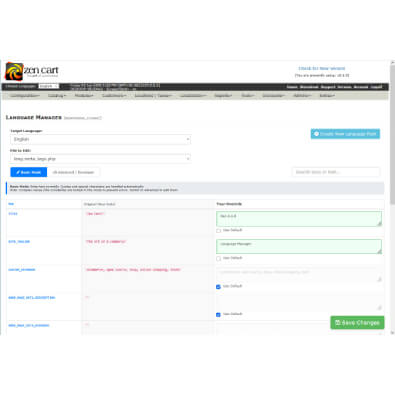
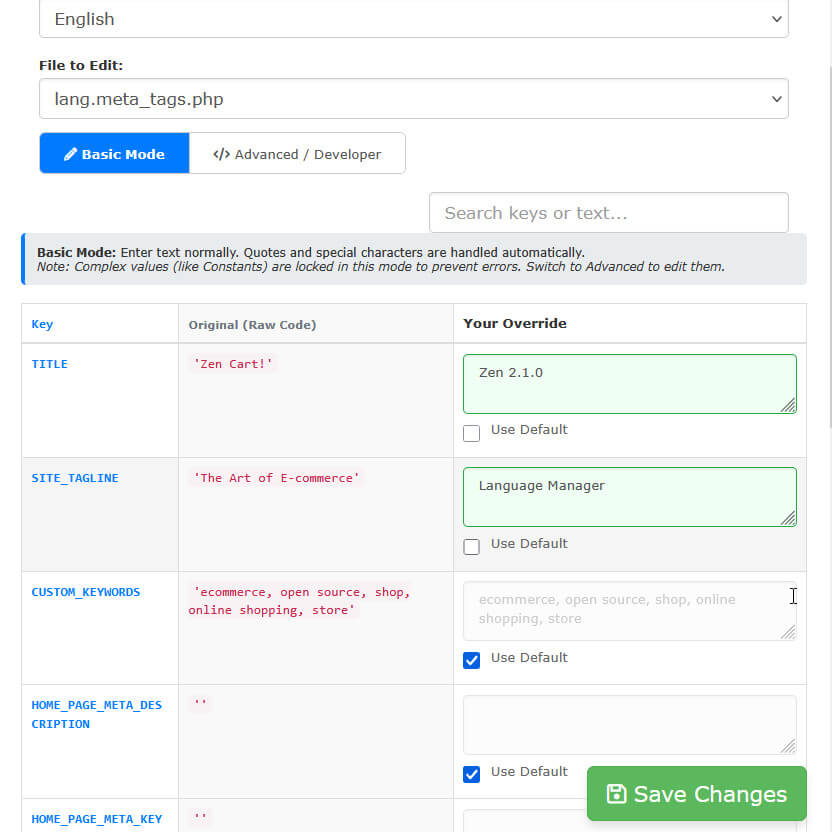
Visual Editor: Edit text definitions in a clean 3-column layout (Key, Original, Override).
Safe Overrides: Automatically saves changes to includes/languages/english/YOUR_TEMPLATE/.
Dual Editing Modes:
- Basic Mode: Safe text editing. Locks complex PHP (constants/concatenation) to prevent syntax errors.
- Advanced Mode: Full raw PHP editing for developers who need to use constants (e.g., 'Text ' . STORE_NAME).
- Full Cloning: Copies both Catalog and Admin language files.
- Auto-Renaming: Automatically renames internal definition files (e.g., lang.english.php → lang.french.php).
Usage
Navigate to Localization > Language Manager.
Select the Target Language (e.g., English).
Select the File to Edit from the dropdown (grouped by Main, Page, Modules, etc.).
Enter your changes in the "Your Override" column.
Click Save Changes. Note: The plugin will automatically create the necessary directory structure in your active template folder.
| Current Version: | 1.0.0 |
|---|---|
| Supported Zen Cart Version: | 2.0.0 or newer |
| jQuery version: | none |
| Additional jQuery libraries | none |
| Database Affected: | YES - backup your database |
| Core Files Affected: | none |
| Template Files Affected: | none |
Installing
This is an Encapsulated Plugin, meaning you simply upload the files to your zc_plugins directory and install it from admin->Modules->Plugin Manager.
- Unzip the package.
- Upload the contents of zc_plugins files to your server, maintaining the directory structure.
- Log into your Zen Cart Admin.
- Navigate to Modules > Plugin Manager.
- Find Language Manager in the list.
- Click the Install button.